

Hoppa till innehåll
View in the app

A better way to browse. Learn more.

Jaktsidan

A full-screen app on your home screen with push notifications, badges and more.

To install this app on iOS and iPadOS
  1. Tap the Share icon in Safari
  2. Scroll the menu and tap Add to Home Screen.
  3. Tap Add in the top-right corner.
To install this app on Android
  1. Tap the 3-dot menu (⋮) in the top-right corner of the browser.
  2. Tap Add to Home screen or Install app.
  3. Confirm by tapping Install.

Jaktstigen i Los avklarad!
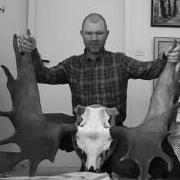
Få väl va nöjd men inte nå mer. 

Men de small i alla fall å de e alltid roligt även om resultatet kunde varit bättre... :P

Nu blire te å nöta lite luftpang, 22:a å även dra några smällar till med både 308:an å 7,62×39:an innan nästa stig i Kårböle den 7/8 :)

0 Kommentarer

Recommended Comments

Det finns inga kommentarer att visa.

Gäst
Lägg till en kommentar...

Account

Navigation

Sök

Sök

Configure browser push notifications

Chrome (Android)
  1. Tap the lock icon next to the address bar.
  2. Tap Permissions → Notifications.
  3. Adjust your preference.
Chrome (Desktop)
  1. Click the padlock icon in the address bar.
  2. Select Site settings.
  3. Find Notifications and adjust your preference.