


Hoppa till innehåll
View in the app

A better way to browse. Learn more.

Jaktsidan

A full-screen app on your home screen with push notifications, badges and more.

To install this app on iOS and iPadOS
  1. Tap the Share icon in Safari
  2. Scroll the menu and tap Add to Home Screen.
  3. Tap Add in the top-right corner.
To install this app on Android
  1. Tap the 3-dot menu (⋮) in the top-right corner of the browser.
  2. Tap Add to Home screen or Install app.
  3. Confirm by tapping Install.

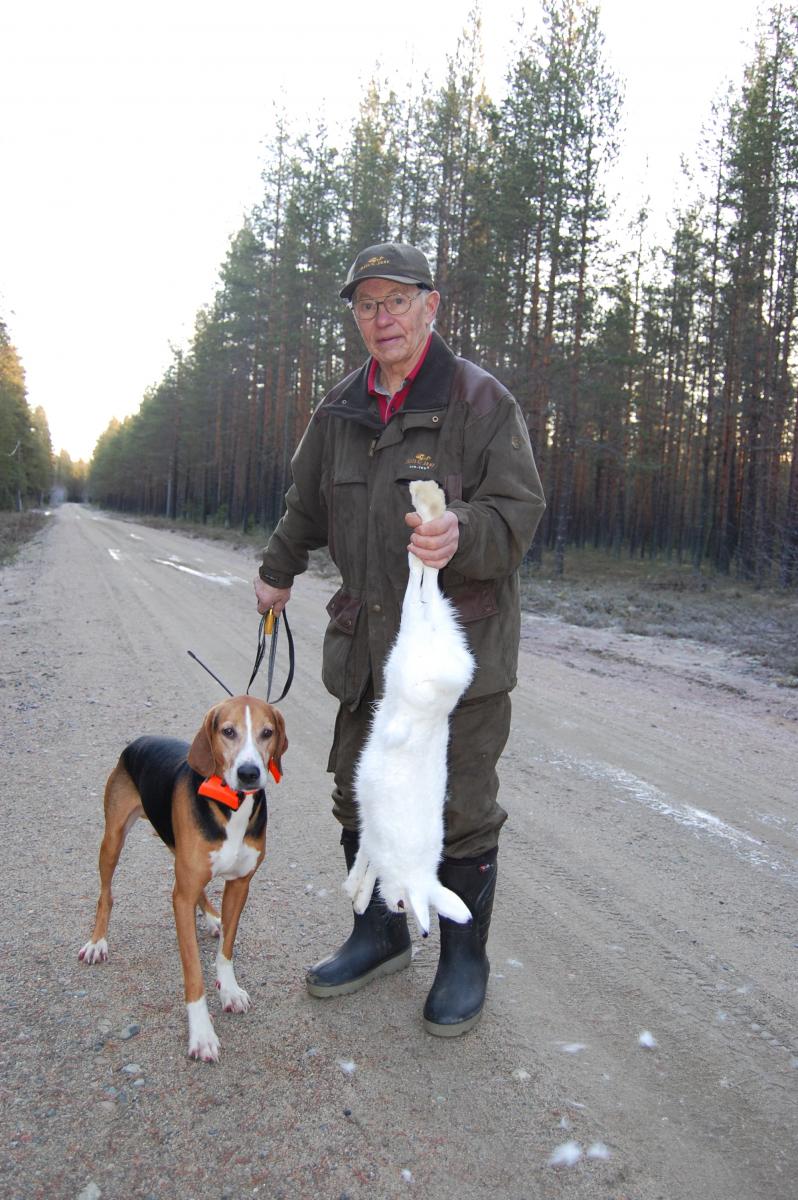
Rockys hare

Den här dagen drev Rocky sin hare mycket bra. Min far följde mig för att passa och vi sammanstrålade i vägkorsningen. Medan haren kom skuttande mot oss funderade vi vem av oss som skulle skjuta och jag överlämnade det till min far. Jag hade ju redan skjutit två den hösten.

Upphovsrätt

© © Jaktsidan.se
  • Från albumet

    Mina jaktbilder

    · 20 bilder

    Account

    Navigation

    Sök

    Sök

    Configure browser push notifications

    Chrome (Android)
    1. Tap the lock icon next to the address bar.
    2. Tap Permissions → Notifications.
    3. Adjust your preference.
    Chrome (Desktop)
    1. Click the padlock icon in the address bar.
    2. Select Site settings.
    3. Find Notifications and adjust your preference.