


Leaderboard
-


Dansken
Global Moderators11Poäng16 269Antal inlägg -

Urban
Bloggers9Poäng5 057Antal inlägg -

Hipshot
Administrators8Poäng35 588Antal inlägg -

MKJ
Bloggers7Poäng11 381Antal inlägg
Popular Content
Showing content with the highest reputation on 2016-03-15 in Inlägg
-
 2 points
 -
2 pointsEn patron bryr sig inte om vilket enkelskottsvapen den skjuts ur: Fallblock, rullblock, kipplauf eller cylinder. Överklaga omedelbums- ta hjälp av PMT, Vapenägarföreningen, Håkan Spuhr eller Christian N Annars blir det här prejudikat- och då är det ÄNNU ett vapen som är stoppat för gott... Det är allvarliga saker.2 points
-
 2 pointsVapnet gör inte i närheten av lika stor skillnad som 10 000 av Gamebores blåa övningspatroner.2 points
 -
 2 pointsIgår var det ett pass med funktionell träning och äntligen blev bröstryggen normal igen, varit stel och bråkig sen jag var sjuk för 2-3 veckor sen. Men alla de där utfallsstegen känns i benen idag...2 points
 -
 2 pointsRiktigt skön dag idag. Det började med tät dimma som sedan lättade och det var sedan vindstilla och sol resten av dagen.2 points
 -
1 pointSoya, sweet chilisås, salt, peppar, vitlökspulver och gul lök, funkar till det mesta men bäst till fågel och fläsk.1 point
-
 1 pointJag körde också rätt på riktiga laddningar. En liten parentes men det är med sorg jag måste meddela att min batch med hylsor som jag haft i ca 8 år nu börjar ge upp efter 100+ omladdningar. Dom är helt körda nu.1 point
 -
 Tack, då var det som jag misstänkte. Bara att panga på då.1 point
 -
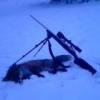 1 pointVar ute igårkväll och lockade ett pass - hörde 3 olika rävar men ingen var sugen på varken hare eller rävläten. Var även ute idag. På 2:a passet har jag lockat nästan 30 minuter som vi brukar bryta vid så smäller det ett par skott nere hos min passskytt - 1 liten tik blev det[emoji1303]. Mitt på dagen i ett rätt tight pass i bokskog. Skickat från min iPhone med Tapatalk1 point
 -
1 point
-
 1 pointsakkis nu är jag rätt ny här på forumet men om jag inte missminner mig så ska dem ha diskuterat beredning osv i tidigare trådar bara att kolla runt så hittar du nog något lycka till ^^1 point
 -
 1 pointTack för svar allihopa. Är i förhandlingsläget hemmavid just nu. Håller på med hundstall och damen bör nog noterat att jag gjort en tredje avdelning med Box och gård... hundarna är inne om natten och i hundstall med gård på arbetstid. Älghunden sover ofta ute pga all päls. Intresset har kommit successivt. När jsg konstrade att jag har mark utanför gården som lämnar sig till hundtypen så löpte det på. Utsättning av fågel kommer att bli aktuellt. Biotopen är mycket bra men slarv med predatorjakten har gjort att de minskat de senaste åren. Verkar vara en bra samverkan mellan fågelhundsfolk, iallafall om man läser Vorsteh och fågel. Blir en strävhår om allt faller på plats!1 point
 -
 Beror väl på ...... Krasst sett vet inte hagler ur vilken pipa det skjuts, så prestandamässigt kvittar det. Sprotern är som regel tyngre, längre och med en mer överjäst kolv. Tyngre för att dels minska rekylen men framförallt minska belastningen på kroppen om du skjuter mycket. Det är ganska få som skjuter 100 skott på en jaktdag, men 100 skott skjuter du på 4 rundor på skjutbanan, Att bära en bössa är helt oväsentligt krasst sett - men den som försöker svinga en tung sporter efter en kanin som drar från tuva till tuva har svårt att hänga med...... Längre för att ge ökad kontroll och för att det är på modet med långa rör numera, jaktligt sett är kortare pipor en aning mer hanterliga - lerduvor smyker sällan sig på jägaren från fel håll om jag säger som så. Den överjästa kolven har liksom tyngden mest funktionen av att kontrollera rekyl och göra greppet så likt som möjligt - å andra sidan har man som skytt sällan eller aldrig egentligen behov av att skjuta ett givet rör vid en given situation - jägaren däremot kan mycket väl ha det, då kan ett extremt fixerat grepp vara långt mer till besvär än glädje. Sett till den jakten du syftar på så är inte sportern ett problem, den är kanske tom en fördel. Bortsett från att den som regel är lite dyrare. Men nu finns det andra jaktformer med. Ska du springa bakom en fågelhund på fjället eller glo en spaniel i dajmkrysset när den stöter kaniner så uppskattar du snart inte alls sportern. /T1 point
 -
Spontant så känns det som att det är för mycket teori och för lite praktik. Du måste helt enkelt skjuta mer, mycket mer, innan du börjar få en känsla för om du ska bock, sportbock eller sida-sida.. Steg 1 om jag ska föreslå något är att antingen behålla nuvarande bössa alt hiva in den, den är dessvärr inte värd något direkt trots dina jävligt ambitiösa putsostuds ryck. Eller .. tja någon krona får du säkert för det men inga mängder. Därefter köper du en vanlig vettig standardbock. Benelli lockar har jag fattat.. frågan är hur dessa tankar påverkas om du köper en annan bössa? Blir den andra bössan bara en genväg/senväg till Benellin? Jag tycker Beretta är bland det mest själlösa och tråkiga som går att få för pengar MEN hittar du en felskränkt (vänster) som "talar till dej" i anlägg så är det den du ska ha. En bock är mer lättskjuten än din sida/sida och ska du sen komma igång med fågel och lerduvor så lär du behöva en ejektor. Därefter, när du är varm i kläderna där, så kan du börja fundera på sportingbössa osv. Går självklart att jaga med sportingbössa men de är ofta lite tyngre och tristare att bära än jaktvapnen och det tröttnar man på rätt fort. På jakt bär man bössa mer än skjuter dvs raka motsatsen mot lerduveskyttet.1 point
-
1 point
-
 1 point1 point
1 point1 point
1 point1 point
1 point1 point
1 point1 point
1 point1 point
1 point1 point 1 pointKorthår eller sträv?Strävhår så ska Kallel här på forumet ta en kull i vår och hans tik är riktigt bra. Korthår så finns det en hel drös med parningar och där har jag inge vidare koll men Fasantorpedens skulle jag kolla på. Gick prov samtidigt med den tiken och hon gick riktigt bra då. Tror att det är svårt att få ut nå kullvärden mm. Tror att det hänger än mer på föraren på prov med stående hundar än tex älghundar, det räcker ju inte bara med att hunden jagar bra utan det vill till att ha en del lydnad också. Skickat från min SM-G900F via Tapatalk1 point
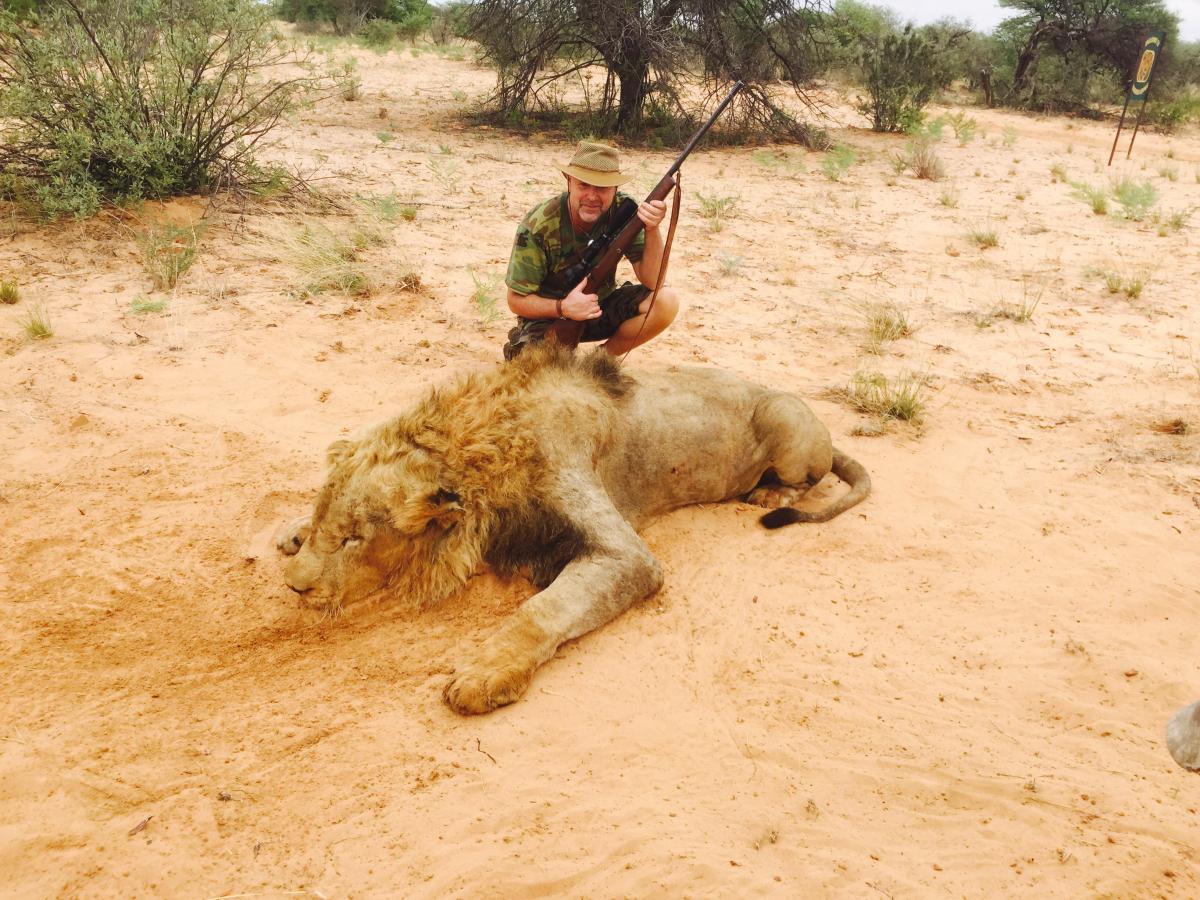
1 pointEftermiddagen blev lång Gick nog 10km innan vi fick syn på en oryx,500 m bort Gick upp i rätt vind o avancerade men oryxen var orolig, jag hade tre tillfälle till skott men han rörde sig hela tiden och kag vågade inte avlossa skott. Vi spårade ca 1 km men inget mer tillfälle gavs! Tillbaks mot bilen så ser vi en oryx, en jättevacker! 300 m bort , jag avböjer att skjuta på det hållet vi smyger närmare. På ca 100 m får jag chansen snett bakifrån på 100 m, allt känns rätt och jag skjuter, den lägger sig efter ca 75 m men då kommer farmägarens hund och kör upp den. Får Skottland rakt framifrån på 60 m håll o 308 får tala! Jobbigt att ha koll på hunden i detta läge så det blir stressigt att skjuta men allt gick bra och en Oryx kan jag boka av på listan! Hornens längd var 97 VM dom blir 38och en 1/4 del so troligen silver. Så ännu en underbar jakt i Afrika. I morgon lång resa mot limpoppo för Kudu , kompisarna hoppar av på vägen för buffel o hippojskt!1 point
1 pointKorthår eller sträv?Strävhår så ska Kallel här på forumet ta en kull i vår och hans tik är riktigt bra. Korthår så finns det en hel drös med parningar och där har jag inge vidare koll men Fasantorpedens skulle jag kolla på. Gick prov samtidigt med den tiken och hon gick riktigt bra då. Tror att det är svårt att få ut nå kullvärden mm. Tror att det hänger än mer på föraren på prov med stående hundar än tex älghundar, det räcker ju inte bara med att hunden jagar bra utan det vill till att ha en del lydnad också. Skickat från min SM-G900F via Tapatalk1 point
1 pointEftermiddagen blev lång Gick nog 10km innan vi fick syn på en oryx,500 m bort Gick upp i rätt vind o avancerade men oryxen var orolig, jag hade tre tillfälle till skott men han rörde sig hela tiden och kag vågade inte avlossa skott. Vi spårade ca 1 km men inget mer tillfälle gavs! Tillbaks mot bilen så ser vi en oryx, en jättevacker! 300 m bort , jag avböjer att skjuta på det hållet vi smyger närmare. På ca 100 m får jag chansen snett bakifrån på 100 m, allt känns rätt och jag skjuter, den lägger sig efter ca 75 m men då kommer farmägarens hund och kör upp den. Får Skottland rakt framifrån på 60 m håll o 308 får tala! Jobbigt att ha koll på hunden i detta läge så det blir stressigt att skjuta men allt gick bra och en Oryx kan jag boka av på listan! Hornens längd var 97 VM dom blir 38och en 1/4 del so troligen silver. Så ännu en underbar jakt i Afrika. I morgon lång resa mot limpoppo för Kudu , kompisarna hoppar av på vägen för buffel o hippojskt!1 point 1 point
 1 pointThis leaderboard is set to Stockholm/GMT+02:00
Account
Navigation
Sök
Configure browser push notifications
Chrome (Android)
- Tap the lock icon next to the address bar.
- Tap Permissions → Notifications.
- Adjust your preference.
Chrome (Desktop)
- Click the padlock icon in the address bar.
- Select Site settings.
- Find Notifications and adjust your preference.
Safari (iOS 16.4+)
- Ensure the site is installed via Add to Home Screen.
- Open Settings App → Notifications.
- Find your app name and adjust your preference.
Safari (macOS)
- Go to Safari → Preferences.
- Click the Websites tab.
- Select Notifications in the sidebar.
- Find this website and adjust your preference.
Edge (Android)
- Tap the lock icon next to the address bar.
- Tap Permissions.
- Find Notifications and adjust your preference.
Edge (Desktop)
- Click the padlock icon in the address bar.
- Click Permissions for this site.
- Find Notifications and adjust your preference.
Firefox (Android)
- Go to Settings → Site permissions.
- Tap Notifications.
- Find this site in the list and adjust your preference.
Firefox (Desktop)
- Open Firefox Settings.
- Search for Notifications.
- Find this site in the list and adjust your preference.