

Skip to content
View in the app

A better way to browse. Learn more.

Jaktsidan

A full-screen app on your home screen with push notifications, badges and more.

To install this app on iOS and iPadOS
  1. Tap the Share icon in Safari
  2. Scroll the menu and tap Add to Home Screen.
  3. Tap Add in the top-right corner.
To install this app on Android
  1. Tap the 3-dot menu (⋮) in the top-right corner of the browser.
  2. Tap Add to Home screen or Install app.
  3. Confirm by tapping Install.

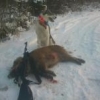
Griseftersök 20131017
Featured Replies

Bra jobbat!

Bra gjort! :) finns de nått bättre än bra hundjobb?

Sent from my iPhone using Tapatalk - now Free

Snyggt! Hade en sådan gris förra året med likadan träff, den var mkt mindre och gick betydligt kortare, men det var gott om blod hela vägen. Konstigt att de första inte hittade mer blod. Hursomhelst bra jobbat!

Bro gjort! :) skönt att lyckas med ett sådant eftersök!

:thumbsup:

Grattis! Skoj med bra hundjobb!

Join the conversation

You can post now and register later. If you have an account, sign in now to post with your account.

Guest
Reply to this topic...

Recently Browsing 0

  • No registered users viewing this page.

Account

Navigation

Search

Search

Configure browser push notifications

Chrome (Android)
  1. Tap the lock icon next to the address bar.
  2. Tap Permissions → Notifications.
  3. Adjust your preference.
Chrome (Desktop)
  1. Click the padlock icon in the address bar.
  2. Select Site settings.
  3. Find Notifications and adjust your preference.