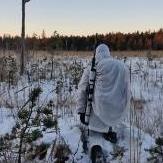
Publicerat 2 timmar sedan %d hr Detta är en populär post. Kom på att E inte har en egen tråd. Det tycker jag hon ska få ha.Ellie är en jaktgolden-tik som är född i slutet av Maj 2024. Denna säsong tror och hoppas jag att det blir hennes debut när hon får jaga på riktigt. Vi har tidigare tränat sporadiskt on/off på apporteringen, och suttit ute X antal gånger i gömsle och försökt locka kråka. Där brister husses kunskaper mest så därav har det ej blivit nån skarp apportering. Men viljan hos henne finns och hon har fått träna desto mer på stadgan (som inte är perfekt, men faktiskt rätt bra skulle jag säga...).Så, denna säsong hoppas vi att kunna dokumentera lite riktiga apporter. Jag har även på vinst och förlust testat trava runt och sett om hon kunde ha tur och stöta någon skogshöna. Det finns på markerna men inte så mycket, men trevliga promenader med hagelbössa och hund blev det iaf. Hon håller sig i regel ganska nära mig som lös.I övrigt är hon en fin hund för familj och vänner. Vi tränar även en del räddningssök (hitta dolda människor) vilket även är väldigt peppande för henne då tja..hon är en retriever? Människor är stor belöning.En orädd men tyst hund i allmänhet, men som skäller på katter utomhus och på harar i parkerna. Tror faktiskt hon är relativt "rovdjurstuff" efter lite möten med kaxiga rävar osv i stan.24.x pannor tung, kanske 55cm mank. Ganska grov i konstruktionen ändå.
Publicerat 1 timme sedan %d hr kul! Ska bli spännande att följa hennes äventyr 😍🥳. Det är något speciellt med goldens också. Så jäkla fina hundar! 🥰
Publicerat 51 minuter sedan %d min Författare 23 minutes ago, Ryberget said:kul! Ska bli spännande att följa hennes äventyr 😍🥳. Det är något speciellt med goldens också. Så jäkla fina hundar! 🥰Tack! Har haft med henne i dagboken men kul med egen tråd. Jag tycker också de är speciella, och lite kul att få ut henne i jakt...då de flesta Goldens trots allt aldrig kommer i närheten av såna upplevelser. Skulle vara roligt om rasen blev lite mer inriktad på jakt igen. Inom personsöket har de blivit rätt poppis dock.VID_20260706_233108.mp4



Join the conversation
You can post now and register later. If you have an account, sign in now to post with your account.