Leaderboard
-

585Nyati
Bloggers6Poäng155Antal inlägg -
Vestjakt
Bloggers5Poäng1 103Antal inlägg -

hobbe
Bloggers4Poäng4 375Antal inlägg -

mickemicke
Bloggers4Poäng1 256Antal inlägg
Popular Content
Showing content with the highest reputation since 2012-06-01 in Bilder
-
5 points
-
4 points
-
 2 points
 -
 2 points
 -
 2 points
 -
2 points
-
 2 points
 -
1 point
-
 1 point
 -
 1 point
 -
 1 point
 -
 1 point
 -
 1 point
 -
 1 point
 -
 1 point
 -
 1 point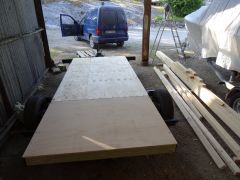
Från albumet Min Jaktkoja
Har lagt plywood som golv och under ligger det ett fint lager isolering 8cm1 point -
 1 point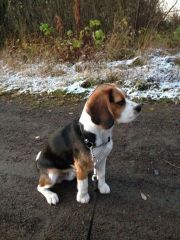
Från albumet Gott och blandat
Tiden går fort när man har kul. 16,5kg tung redan =)1 point -
 1 point
 -

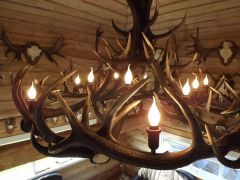
Från albumet Furniture, chandelier, gifts, crafts from trophy
Specifications: 1. Red deer antler; 2. Weight: 42-46 kg ; 3. Oak wood; 4. Hand made. Model Number TP198 Chandelier Style Antique Size Width 151 cm Height 174 cm or customers' request Material Oak wood, red deer antler Minimum Order Quantity 1 unit Warranty five year and whole life consultation Website link to more photo - http://www.parakas.l...r-antler-TP198/ ABOUT US „Parakas“ produces exclusive, hand-made items made of natural materials and presents designed for hunters and those whose sympathize with them. Having long experience, drawing inspiration right from nature, allows us to bring the secretious forest life closer to your home, meticulously chosen materials ensure unique items of the highest quality. Every time we are trying not only to fulfil all the client‘s requirements but to surpass them. Looking for sales agent, distributor, business partner in Sweden. Best regards, Trofejas, LTD Mob. 0037061184128 (EN, RU) info@parakas.lt www.parakas.lt Vilnius, Lithuania, European Union© http://www.parakas.lt/lighting/53/Chandelier-of-red-deer-antler-TP198/
1 point -
Från albumet Furniture, chandelier, gifts, crafts from trophy
Specifications: 1. Red deer antler; 2. Weight: 42-46 kg ; 3. Oak wood; 4. Hand made. Model Number TP198 Chandelier Style Antique Size Width 151 cm Height 174 cm or customers' request Material Oak wood, red deer antler Minimum Order Quantity 1 unit Warranty five year and whole life consultation Website link to more photo - http://www.parakas.l...r-antler-TP198/ ABOUT US „Parakas“ produces exclusive, hand-made items made of natural materials and presents designed for hunters and those whose sympathize with them. Having long experience, drawing inspiration right from nature, allows us to bring the secretious forest life closer to your home, meticulously chosen materials ensure unique items of the highest quality. Every time we are trying not only to fulfil all the client‘s requirements but to surpass them. Looking for sales agent, distributor, business partner in Sweden. Best regards, Trofejas, LTD Mob. 0037061184128 (EN, RU) info@parakas.lt www.parakas.lt Vilnius, Lithuania, European Union© http://www.parakas.lt/lighting/53/Chandelier-of-red-deer-antler-TP198/
1 point -
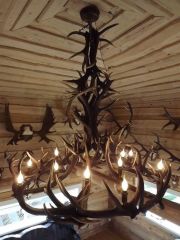
Från albumet Furniture, chandelier, gifts, crafts from trophy
Specifications: 1. Red deer antler; 2. Weight: 42-46 kg ; 3. Oak wood; 4. Hand made. Model Number TP198 Chandelier Style Antique Size Width 151 cm Height 174 cm or customers' request Material Oak wood, red deer antler Minimum Order Quantity 1 unit Warranty five year and whole life consultation Website link to more photo - http://www.parakas.l...r-antler-TP198/ ABOUT US „Parakas“ produces exclusive, hand-made items made of natural materials and presents designed for hunters and those whose sympathize with them. Having long experience, drawing inspiration right from nature, allows us to bring the secretious forest life closer to your home, meticulously chosen materials ensure unique items of the highest quality. Every time we are trying not only to fulfil all the client‘s requirements but to surpass them. Looking for sales agent, distributor, business partner in Sweden. Best regards, Trofejas, LTD Mob. 0037061184128 (EN, RU) info@parakas.lt www.parakas.lt Vilnius, Lithuania, European Union© http://www.parakas.lt/lighting/53/Chandelier-of-red-deer-antler-TP198/
1 point -
 1 point
 -
 1 point
 -
 1 point
 -
 1 point
Från albumet 13'
Blev lite bänk!! Bössan presterar bra... Hål i hål... bilder på träffbilder kommer!1 point -
 1 point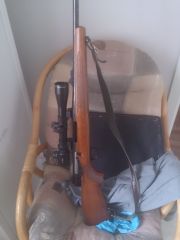
Från albumet Skjutvapen. åh nå dött
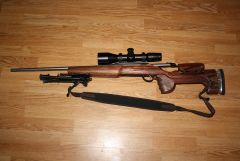
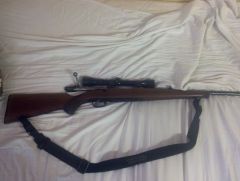
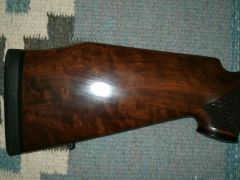
Nyköpt så den ska rengöras och putsas till. kammhöjare, bakkappa och ny knopp till slutstycket ska inhandlas. även ett nytt sikte. Jahtin åker på 22an.1 point -
 1 point
 -
1 point
-
1 point
-
1 point
-
 1 point
 -
 1 point
 -
1 point
-
1 point
-
 1 point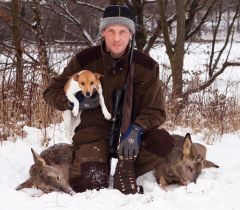
Från albumet Från livet
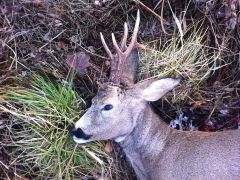
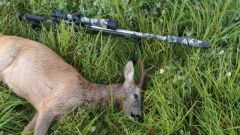
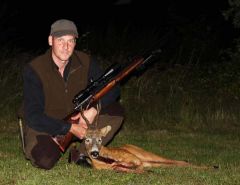
Gav mig själv en present och gick en tur i skogen på morgonen. Rådjursdoublè blev resultatet. En underbar förmiddag i vinterlandskap.1 point -
 1 point
 -
 1 point
 -
1 point
-
1 point
-
 1 point
 -
 1 point
 -
1 point
-
1 point
-
 1 point
 -

Från albumet Mina Jaktbilder
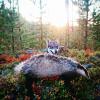
Var och testade min Jämthund som blev ett år nu i maj på permobjörn i helgen, visade mycket bra resultat. Ska bli roligt å se hur han funkar på en riktig nalle i höst1 point -
 1 point
 -
1 point
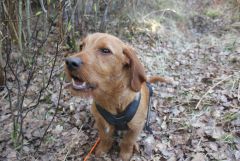
Från albumet Basset fauve de Bretagne
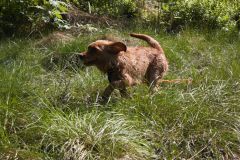
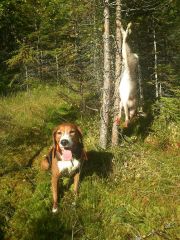
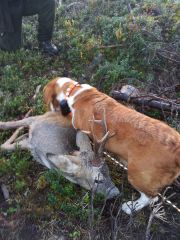
Trollpackans Imperator Chippen som avklarat ett spårningsarbete på dryga 700m natt gammal spår..som är otålig och vill ha skanken1 point -

Från albumet jakt
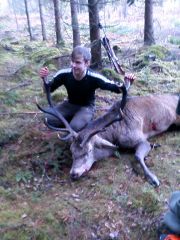
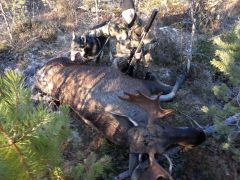
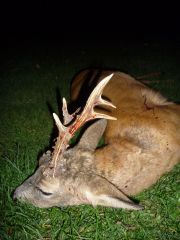
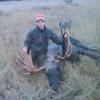
Äntligen så föll allt på plats. Dagen till ära så skulle det jagas Dovhjort först och främst men även älgkalv +vildsvin och mickel räv var lovliga. Rådjur om man så ville ifall detta skulle vara drevdjuret, men stammen av rådjur är av mindre storlek, detta skulle givetvis beaktas. Nåväl, klockan ringer 05.00 frukosten görs iordning och smörgåsarna får allehanda olika pålägg över sig ost, skinka jaa mycket energi går åt under en jaktdag i skogen, kaffet rinner ner från bryggaren.Grejjorna är nedpackade.. Iväg bär det nu av dom 5milen till markerna på slingriga vägar. Till och från får man bromsa in då Dovhjortar hoppar och lunkar över vägen...sinnena på helspänn men.. Väl framme vid lägerelden någonstans vid kl 07.30 så tänds brasan..(tänds och tänds är inte rätta orden) då undertecknad inte hade med sig något bränsle alls att få upp elden med...tur att det finns tändvätska:) Nåja, någonstans vid 08.00 så kommer jaktledaren + övriga i laget inrullandes med bilarna, även ett par 3st gästjägare, varav den ena hade en hund med sig av modell Basset som skulle få hjortarna att bukta. Över lite kaffe .. O inväntan på skjultjus så smiddes planerna om vart repsektive gäst skulle sitta. Vilka som skulle släppa sina hundar först och var det skulle jagas av. När väl detta var klart så åkte underteckand ut med en i lagets för dagen hundförare. Platsen som valdes var intill en berghäll som hade viltstigar på var sida. Detta skulle givetvis vara givande, trodde jag själv och passgranne Niklas. Nåväl när siste passare var placerad så hördes dom otroliga orden som alltid är skoj, då släpper jag hunden om alla är på pass. Bassetten som gästen hade med sig, gjorde några illvrål till väckskall..jakten hade börjat. Med frusna händer, så hördes drevet bukta bortåt för att sedan vända tillbaka mot mig igen, dom frusna händerna var ett minne blott, över radion hörs från min passgranne Niklas, Adam 3st tjädrar kommer ser du dom..svarade med låg ton ja jag ser dom, riktigt mäktiga fåglar som kom på ca 40m håll flygandes i luften (hade jag inte fått höra detta från Niklas så hade jag trott att det var älgi farten). Då jag med mina jaktlurar har volymen på max för att vara beredd i alla lägen..Så det kan vara under jakt:) Sedan hördes det en knall..en i laget hade skjutit på en hind, som hade en garanterad lungträff..men om den låg och främst vart den låg kunde skytten inte sia om, det meddelades över radion från jaktledaren att skytten skulle gå fram och kika på skottplatsen, med lite om och men över radion så gick iaf skytten dom dryga 100m fram till skottplatsen och vidare till där hinden låg...Och visst låg hinden där en bit efter. Hunden kopplades och samling vi lägerelden Sår nr 2 planerna för denna gjorde upp, Jag åker upp gemensamt med Rolf som är med i laget. Frågar om mitt pass är den där tallrishögen, med några stockar över sig. Svaret blev ett kort jaa det är ditt pass (ny i laget och med stora marker och nyga pass så vet man knappt vart man är), iaf sen vet du att jag står där nere och passar. Så du får skjuta där men inte där osv. Tänkte för mig själv o det helt ärligt. Hmm, undra om jag fått detta (enligt mig) dåliga pass för att att jag sett massa djur som kommit iför höga farter och avstått för o skjuta..vid andra bättre pass? Nåja, jag tänkte en räv kanske springer förbi den kan man ju ta:) Över radion åter igen, så kom dom gyllnde orden.. Alla på plats? Ok då släpper jag hunden.Detta var Niklas basset som skulle få springa av sig, blir upptag nästan direkt, och ljudet från stora horn! som slår emot småträden som gnistor hörs.. Plötsligt en knall och det meddelas över radion att en stor skovelhjort (tjur) är skjuten, skytten pratar över radion ska jag stå kvar? nej du kan gå fram säger då hundföraren..sagt o hjort så går skytten iaf fram till det fällda viltet och det hörs en lättnades ton.. Allt gick bra hunden är här nu vid hjorten och står o skäller..jag kopplar hunden och går in en bit o släpper igen..jaa gör så, hörs det via radion. Själv sitter jag med en puls på 190 lite drygt och känner svetten tränga fram lite i pannan..f*n varför kom inte djuren till mig..nåja jakt är jakt o det är så här det ska vara iaf:) Då hunden släpps nån minut efter att den store skovelhjorten blivit fälld av passgrannen Mats, så blir det ett illrål till väckskall igen. Drevet kommer närmre och närmre..ställer mig upp och har bössan redo. Men så händer det som inte ska hända. Hunden går tillbaka på den skjutna hjorten, nåväl alla sitter kvar och hunden släpps nu längre ifrån..Den här gången så går drevet förbi den skjutna hjorten och över en liten grusväg (var nog därför hunden gick tillbaka)..skallen kommer närmre mig igen, ljudet från stora horn som slår emot träden hörs igen jätteskoj!. Måtte det gå tillbaka emot mig..drevet alltså..jaa över vägen och bortåt går drevet, där jag o Niklas satt på första såten. Lite komiskt, sinnena låg nu på avläge. Jag titade åt stora skogen, som nu eftersom drevet är bakom mig är åt fel håll. Men det kan ju vara stänkdjur i såten..så varför inte inga djur kom.. Men då drevet och skallen blir allt tätare och tätare bakom mig..tänkte jag nej nu får jag ställa mig upp för hunden ligger oftast ett par min efter. Så nu kan det komma ut något kanske. Precis då tanken att jag skulle ställa mig upp och titta över grusvägen emot tätningen kom. Så hördes det brakande ljudet igen ifrån stora horn..komma rätt emot mig. På bråkdelen av en sekund så får jag nu syn på 2st stora horn komma rätt emot mig..bössan läggs instinktivt emot axeln i siktet.. Skottet går då djuret kommit en bit över vägen, Pulsen står i halsen på mig, och med en skakig röst som låter som någon Disney figur. Så meddelar jag över radion att en skovelhjort är skjuten, allt gick bra nämner jag oxså. Frågar då hundföaren Niklas eftersom detta torde var drevdjuret..hur ska jag göra? ja koppla hunden hörs det då, svara ok jag gör så. Med lite smått skakiga stapplande steg så stegar jag upp 10m till skottplatsen och ser ett långt spår av blod som ligger i en rak linje. Eftersom hundföraren var på väg emot mig innan jag sköt för att ta hand om det första djuret så meddelade jag över radion..det här var nog ett stänkdjur..men jag går ned och kikar på hjorten var den ligger, är det ok? javisst hörs det över radion, samtidigt som det kommer gratulationer över radion till mig, så drar hunden längre och längre bort. Så det var nog flera djur i tätningen. Men efter att ha följt blodspåret 40m så får jag se..min livs första och hitills enda trof'e hjort ligga ned med en perfekt lungträff, det var otroligt häftigt! orden går inte att beskriva, tårarna kommer inombords. Med denna långa text så kan jag skriva, visst det hade räckt att bara skriva..helskovel kommer utrusande med hunden efter sig och den skjuts på 10m håll..men vem hade trott mig då? Med hundföraren Niklas hjälp och jakten avbruten så passas hjorten..tankarna far ikring fram o tebax Wow! herregud! vilken upplevelse.. så kommer det flera gratulationer, både över radion. men även när en av gästjägaren få se min glada min efter att jaktledaren och denna kommer för att titta på mig som glad skytt. Men även på hjorten.. Så under denna dag den 8jan. Efter väldiga bra hundarbeten, så sköts det en hind+ 2st skovelhjortar varav jag sköt dena ena som syns på bild. Som är den mindre av dom.. Men herregud vad jag är stolt och glad över detta ..den första trofehjorten i hela min jägarkarriär:) Slutord..Wow:)1 point -
 1 point
 -
 1 point